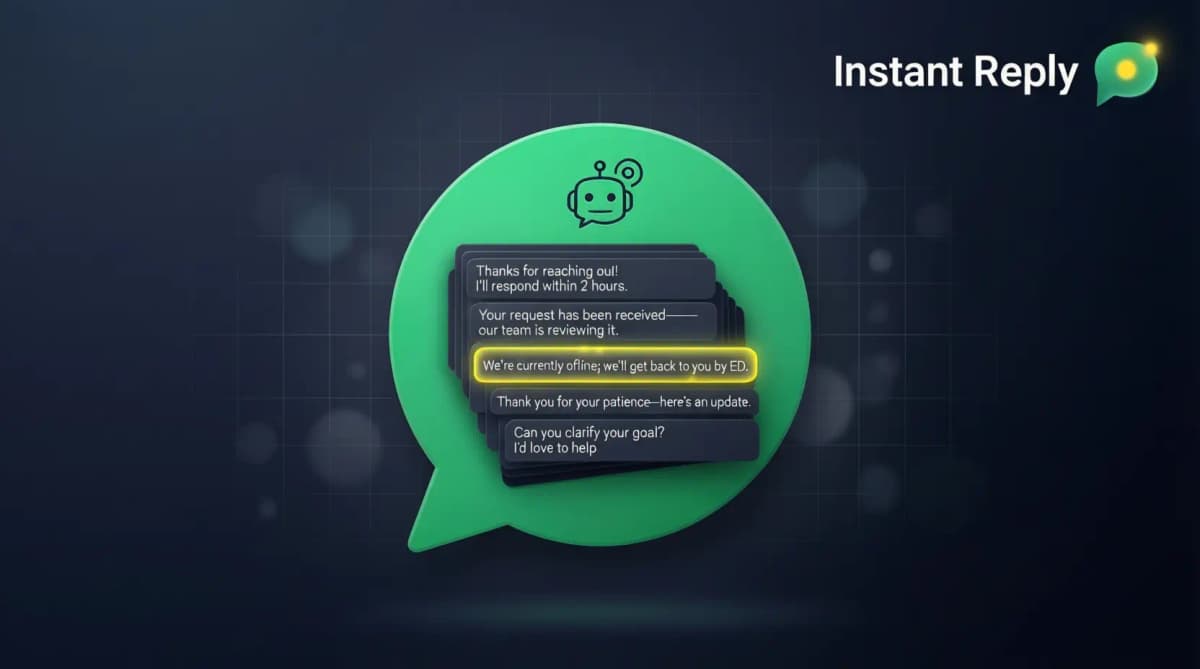
Search "schedule whatsapp messages" and most of the top results are third-party apps that promise free scheduling and quietly violate Meta's terms of service. This guide covers the three official ways to schedule WhatsApp messages in 2026, what each one actually costs, and the failure modes that don't show up until a scheduled campaign silently doesn't send.
The Three Safe Ways to Schedule WhatsApp Messages#
Method 1: WhatsApp Business App (Android only, very limited)#
The WhatsApp Business app supports two types of scheduled messaging:
- Greeting messages: Automatically sent when a customer messages your business for the first time, or after 14 days of no contact
- Away messages: Automatically sent during configured hours when you are unavailable
What it does not support: scheduling a specific message to a specific contact at a specific future time. You cannot say "send this to Sarah on Tuesday at 9 AM." For that you need methods 2 or 3.
How to set up greeting messages on WhatsApp Business app:
- Open WhatsApp Business app on Android
- Tap Settings (three dots, top right) → Business tools → Greeting message
- Toggle on, write your message, choose recipients (everyone, contacts only, or specific contacts)
- Save
This works for solopreneurs and very small businesses. Not viable for scheduled marketing campaigns or appointment reminders.
Method 2: WhatsApp Business API via Meta Cloud API (technical, free platform)#
Meta's Cloud API gives you direct access to the WhatsApp Business API for free (you still pay Meta's WhatsApp messaging fees). You can schedule messages by writing your own scheduler that calls the API at the right time.
What you need:
- A Meta Business Account with WhatsApp Business API access (free to get)
- A backend server or serverless function that holds your scheduled messages
- A cron job or scheduler that sends messages at the right time
- Pre-approved message templates for any message outside the 24-hour customer service window
This works well if you have a developer in-house. It does not work if you want a no-code scheduling interface, and you own the maintenance: retries, timezone math, and template-status checks are your team's job, not Meta's.
Method 3: WhatsApp Business API via a BSP (no code, full features)#
A Business Solution Provider (BSP) is a Meta-authorized platform that handles the WhatsApp Business API for you. You upload contacts, write messages, set send times, and the BSP handles the API calls, retries, and timezone conversion.
Instant Reply runs scheduling on top of the same Cloud API from Method 2, with the queueing, retry, and timezone logic already built. See WhatsApp API features for the full list. This is the right method for businesses that need scheduling at scale without maintaining the infrastructure themselves.
What Scheduling Actually Costs: DIY vs a Managed Platform#
Meta's per-message fees are identical no matter which path sends the message -- the cost difference is entirely in who builds and maintains the scheduling layer.
| Path | Software cost | Who builds it | Who maintains it |
|---|---|---|---|
| WhatsApp Business app (Android) | Free | Nobody -- it's a toggle | Meta |
| Meta Cloud API (DIY) | Free (Meta message fees still apply) | Your developer: scheduler, retry logic, timezone conversion, template-status checks | Your team, indefinitely |
| Managed BSP (e.g. Instant Reply Growth, $129/mo, $107.50/mo billed annually) | Flat monthly fee | The BSP | The BSP |
The DIY column looks free until a template gets rejected mid-campaign or a scheduled send fires at 3 AM local time because the scheduler didn't account for daylight saving. That maintenance cost is usually where the "free" API stops being free. Other BSPs (WATI, Respond.io, Gallabox) price by tier, users, and contacts, plus message charges -- see the WATI alternative comparison or Respond.io comparison for the full breakdown.
Are Third-Party WhatsApp Scheduling Apps Safe to Use?#
If you search "schedule whatsapp messages" you will find dozens of apps promising to schedule messages for free. Almost all of them work by one of two unsafe methods:
Browser automation (Selenium-style)#
These apps open WhatsApp Web in a hidden browser and simulate keyboard input to send messages at the scheduled time. This violates WhatsApp's terms of service. Meta detects this pattern and can ban your number.
Mobile accessibility hijacking#
These apps request "accessibility permissions" on your phone and use them to control WhatsApp. They appear to work but log every message you send. Meta can detect the pattern and ban your number. Also a major privacy risk.
Signs an app is unsafe:
- Promises to schedule WhatsApp messages without API access or business verification
- Asks for your WhatsApp Web QR code login
- Requests accessibility permissions on Android
- Free with no enterprise version, no business plan
- Not listed as a Meta Business Partner or BSP
The only safe scheduling is through the WhatsApp Business API, via Meta Cloud API directly or through an authorized BSP.
What Happens When a Scheduled WhatsApp Message Fails to Send?#
This is the part most guides skip. Scheduling a message is not the same as guaranteeing delivery -- the send happens later, and several things can change between the moment you schedule it and the moment it's supposed to fire.
Your number hits Meta's messaging tier#
Every WhatsApp Business number has a messaging limit that depends on its quality rating and Meta's business verification status, and Meta has moved to portfolio-based limits that apply across your business portfolio (see how portfolio-based messaging limits work and Meta's documentation for the current figures). If you schedule a broadcast larger than your limit, the platform either queues the overflow for the next window or drops it, depending on how the BSP handles the ceiling. Check your current limit in WhatsApp Manager before scheduling anything larger than your last successful send.
The template loses approval between scheduling and send time#
You schedule a campaign three weeks out using an already-approved template. In week two, Meta re-reviews the template (this happens on quality-rating drops or policy updates) and pauses it. The scheduled send now has nothing to send -- a good BSP flags this and holds the send for a swap-in template; a bad one just fails silently and you find out from a customer who never got their appointment reminder.
The 24-hour customer-service window closes first#
If you scheduled a free-form reply (not a template) because the customer had messaged you recently, and the send time lands more than 24 hours after their last message, the send fails. Free-form content only works inside that rolling 24-hour window; nothing schedules its way around it.
A template variable comes back empty#
An appointment reminder template pulls {{2}} = appointment time from your CRM at send time, not at scheduling time. If the appointment got cancelled or rescheduled in between, and the field returns null, Meta rejects that individual send rather than sending a broken message. Multiply that across a few hundred scheduled reminders and it's worth checking which sends failed, not just assuming they all went out.
A brand-new number gets throttled#
Newly connected WhatsApp Business API numbers may start with a low messaging limit regardless of how big your contact list is. Scheduling a large recurring broadcast in week one of a new number will get rate-limited, and the leftover sends either queue or drop depending on your BSP's overflow handling. Warm up a new number with smaller, real conversations before scheduling anything at volume.
Can you cancel or edit a scheduled message before it sends?#
Through the WhatsApp Business API, yes -- your BSP holds the scheduled job in its own queue until the trigger time, so cancelling or editing the recipient list, copy, or send time is a platform-side action, not a WhatsApp one. The only hard cutoff is once the API call to Meta has actually fired; after that, it's sent. On the free WhatsApp Business app, there's nothing to cancel because there's no arbitrary scheduled send in the first place -- only the always-on greeting and away message toggles.
Real Use Cases for Scheduled WhatsApp Messages#
Appointment reminders#
Schedule a reminder to send 24 hours before each appointment. The recipient's appointment time and personal details auto-populate the template. Industries that benefit: medical, dental, salons, fitness studios, professional services.
Example schedule: 9 AM the day before the appointment. Template: "Hi {{1}}, this is a reminder about your {{2}} appointment tomorrow at {{3}}. Reply CONFIRM or RESCHEDULE."
Order shipping updates#
Schedule updates to fire when an order ships, when it arrives at the local hub, and when it is delivered. Each update is a utility template (cheap to send). A customer who already got a WhatsApp update stops messaging "where is my order" -- the update answers the question before they ask it.
Re-engagement campaigns#
Schedule a re-engagement message to fire 30 days after a customer's last purchase. Personalized with the specific product they bought. Contextual messages like this get replies that generic blasts don't, because the recipient recognizes what you're referencing.
Birthday and milestone messages#
Schedule birthday greetings, anniversary messages, or membership renewal reminders. Each fires at the right time for each customer, automatically.
Event reminders#
Schedule reminders for webinars, sales, product launches, or in-person events. Set the time once, the platform sends to your full list at the moment.
Onboarding sequences#
Schedule a 7-day onboarding sequence that fires after a customer signs up. Day 1: welcome and quick win. Day 3: feature highlight. Day 7: ask for feedback. Each message is a scheduled utility or marketing template.
How Far in Advance Can You Schedule a WhatsApp Message?#
Through the WhatsApp Business API there's no hard platform limit -- most BSPs support scheduling up to a year out. The real constraint is template lifespan, not the scheduling mechanism: Meta can re-review and pause a template at any point based on quality-rating changes or policy updates, and a template built around a seasonal offer or price that's no longer accurate will get flagged in review even if it was fine when you first submitted it. Anything scheduled more than 3-6 months out should get a manual re-check closer to send time, not just a "set and forget."
Can You Schedule WhatsApp Messages on iPhone?#
Not through the WhatsApp Business app itself -- there's no scheduling feature on iOS the way there's a limited one on Android. Apple's WhatsApp Business app only has the greeting and away message toggles, same static-message limitation as Android, minus even that timing control. iPhone users fall back to the same Method 2 or 3 above: WhatsApp Business API platforms run through a browser dashboard, so you schedule from Safari or Chrome exactly the way a desktop user would. The scheduling logic lives on the BSP's server, not the device, so the phone's OS is irrelevant to it.
How to Schedule Your First WhatsApp Message (Through Instant Reply)#
- Connect your WhatsApp Business number. The Instant Reply embedded signup walks through Meta's verification. No developer is needed for the managed inbox path, but approval timing depends on Meta.
- Create or import your contact list. Upload a CSV with name, phone number, and any personalization variables.
- Create the message template. If sending within 24 hours of a customer-initiated conversation, free-form text works. If sending cold, write a template with {{1}}, {{2}} variables and submit to Meta for approval (review time is set by Meta).
- Schedule the send. Pick the exact date and time. Optionally enable timezone-aware sending so each recipient gets the message at their local 9 AM (or whatever time you pick).
- Monitor delivery. Check delivery rate, read rate, reply rate, and opt-outs. Replies route to your team inbox for follow-up.
Once a template is approved, scheduling a send is quick, and later broadcasts reuse approved templates.
WhatsApp Scheduling vs WhatsApp Automation#
Scheduling is one-time: pick a future time, send a message. Automation is trigger-based: when something happens (signup, purchase, lead score change), send a message. Most businesses need both -- schedule the broadcast, then let smart follow-ups and AI replies handle what happens after someone responds. That combination is covered in depth in the WhatsApp autoresponder guide.
Get Scheduling Set Up This Week#
If you have WhatsApp Business API access already, scheduling can start after your template and opt-in checks are ready. If you do not, start a free 7-day Instant Reply trial -- the embedded signup guides your number through API onboarding, and Meta controls the approval timing.
Or take the interactive product tour to see the scheduling interface, time zone handling, and analytics dashboard before signing up.