An Instagram auto reply should do one useful job: answer the first question or collect the one detail needed for a real answer. Start with Meta Business Suite for a greeting, away message, or simple keyword response. Move to an official API platform when several people need to own conversations, answer from business data, follow up, or update a CRM.
What does Instagram auto reply mean?#
People use the phrase for several different features. Choosing the wrong one creates a brittle flow or an unnecessary software bill.
| Job | Good starting point | What it can do |
|---|---|---|
| Acknowledge the first DM | Meta Business Suite instant reply | Send one first-response message and set an expectation |
| Reply outside staffed hours | Meta Business Suite away message | Explain availability and collect a useful detail |
| Respond to a known keyword | Business Suite automation or approved platform | Send a matching answer, link, or next question |
| Turn a comment into a private conversation | Approved comment-to-DM platform | Run a trigger, private follow-up, and opt-out path |
| Answer open-ended buyer questions | Official API inbox with AI and human review | Use product context, assign an owner, and escalate uncertainty |
Meta also offers creator AI auto-replies to some accounts. Instagram's help material says this feature is not available to everyone and labels replies as AI. Treat that as a separate Meta feature, not as proof that every professional account has the same business automation controls.
How to set up an Instagram auto reply in Meta Business Suite#
Meta's interface changes between accounts, but its current help material documents this path:
- Use a professional Instagram account and connect it to the Facebook Page that owns the business inbox.
- Allow Instagram message access when Meta asks for it.
- Open Meta Business Suite, then Inbox.
- Choose Automations and create a new automation.
- Select the instant-reply or greeting option shown for the account.
- Select Instagram as the channel when channel selection is available.
- Write the reply, save it, and send a new DM from another account.
Meta says instant replies are first responses to new messages. It also notes that instant replies are not sent while a Page's messaging status is Away. Check both the instant-reply and away-message settings so two automations do not contradict each other.
Instagram auto reply message examples#
Keep the first response short. A good message confirms the topic, gives one fact, and asks one question.
- General product DM: "Thanks for asking about [product]. It is currently [price or status]. Which size, location, or use case should we check for you?"
- After hours: "We are offline until [time and timezone]. Send the product name and your location, and the team will check availability when we return."
- Service inquiry: "We can help with [service]. What result do you need, and what date are you working toward?"
- Booking request: "Which service, preferred day, time range, and timezone should we check? We will confirm only after the calendar records the slot."
- Comment trigger: "You asked for [resource] on our post. Here it is: [link]. Reply with your situation if you want the relevant section."
- Human handoff: "A person needs to check this. I have kept the details in the thread and assigned [team], with a reply due by [time]."
Use the Instagram auto reply generator for more starting copy, then replace every bracket with a fact your team can keep current.
When Meta Business Suite is enough#
Stay with the native inbox when one or two people handle modest volume and the automation only acknowledges a message, shares staffed hours, or answers a small set of stable questions. Meta Business Suite already brings Instagram comments and DMs into the Page inbox, with filters, follow-up markers, labels, notes, and account-dependent automations.
The limit appears when the inbox becomes a sales operation. A greeting does not decide ownership, prevent two agents from answering, preserve a cross-channel buyer history, schedule a follow-up, or show why an AI answer was drafted.
When an Instagram Messaging API platform is justified#
Consider a dedicated platform when the team needs several of these behaviors:
- one owner for each conversation;
- assignment and human takeover without losing the thread;
- answers grounded in current product, pricing, and policy sources;
- WhatsApp, Instagram, and Messenger history in one workspace;
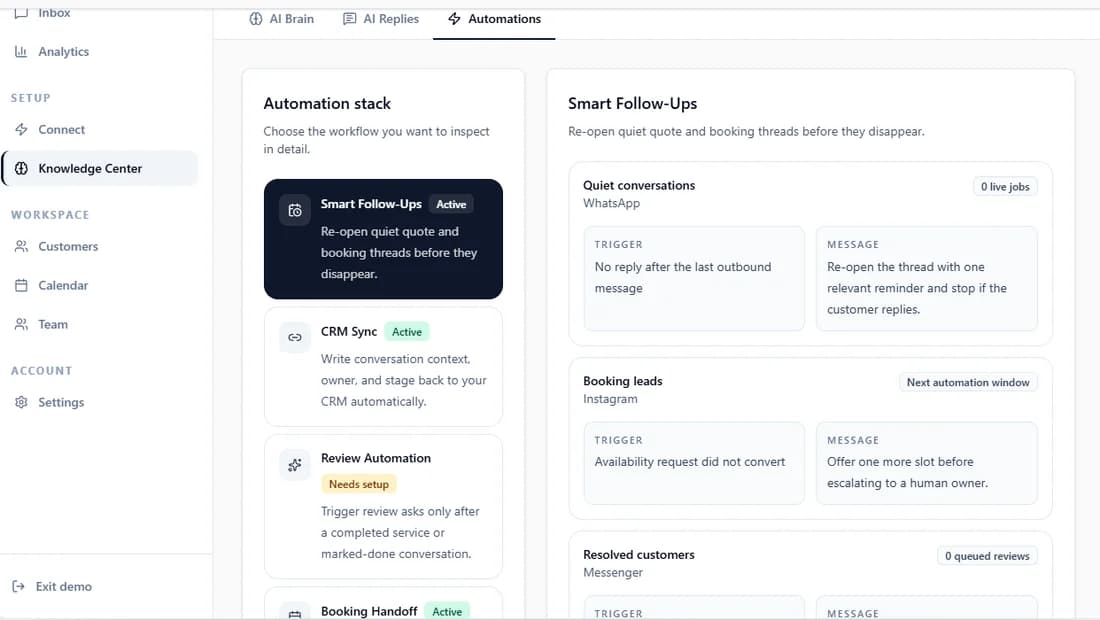
- follow-up tasks for leads who stop replying;
- captured lead fields sent to an eligible CRM integration;
- review controls for images, voice notes, complaints, and uncertain answers;
- an audit trail showing what was sent and by whom.
Instant Reply's AI reply workflow starts with review controls, while the unified inbox keeps channel, owner, notes, and conversation history together. Check the current plan limits before evaluating any workflow.
Test six conversations before automatic sending#
- Known answer: ask a question with one current, documented answer.
- Missing detail: omit the product, date, location, or account detail needed to answer.
- Image: send a product photo where the image changes the reply.
- Voice note: include a date, product, and constraint in natural speech.
- Sensitive request: ask for a refund, policy exception, or account change that needs a person.
- Takeover: have an agent claim the thread and continue without asking the customer to repeat anything.
Record the expected response, actual response, source used, confidence, owner, and recovery step. Run the same cases after changing business information or automation rules.
Instagram auto reply mistakes that lose the conversation#
- Sending a welcome essay: the customer still has to repeat the question.
- Promising "soon": the message gives no useful expectation.
- Answering prices from old copy: the automation creates a sales and trust problem.
- Hiding the human path: complaints and unusual requests loop through the same response.
- Using password-sharing or scraping tools: the automation sits outside the approved business integration path.
- Measuring replies only: a reply can fire correctly while the lead remains unassigned and unanswered.
What to measure after launch#
Track first-response time, the share of conversations that receive a useful first answer, clarification rate, human-takeover rate, unassigned conversations, duplicate replies, follow-up completion, and the number of answers corrected after sending. Measure a booked appointment or qualified lead only when the downstream system records it.
For platform selection, use the Instagram DM automation comparison. For the wider operating model, compare the shared inbox and AI reply controls against the way your team works today.