If your comment-to-DM automation is not working, check message access first. In Instagram, go to Settings, then Messages and story replies, then Message controls, then Connected Tools. Turn on Allow Access to Messages. If that is on, the cause is usually your account type, the comment's age, or the Requests folder.
This guide lists 11 causes. Eight are Meta rules that apply to every tool. Three are tool settings. Meta's pages were read on November 13, 2026.
See your AI answer your customers
Find your cause in this table#
Start with what you see. Each row points to a fix below.
| What you see | Likely cause | Fix |
|---|---|---|
| No DM goes out for anyone | Message access is off | Turn on Allow Access to Messages (cause 1) |
| The tool never sees new comments | Your account is private or personal | Switch to public and professional (causes 2 and 3) |
| Old comments get nothing | The comment is over 7 days old | None. Reply in public (cause 4) |
| The first DM went out, the next did not | One DM per comment | Wait for their reply (cause 5) |
| The tool says sent, the person says no | It is in their Requests folder | Tell them where to look (cause 6) |
| Comments on a Live got nothing afterwards | The Live ended | Send during the broadcast (cause 7) |
| It stopped halfway through a busy hour | An hourly limit | Wait for the next hour (cause 8) |
| Some comments work, some do not | The keyword did not match | Check the trigger words (cause 9) |
| It worked last month, not now | The connection expired | Reconnect the account (cause 10) |
| Replies wait and never send | Review mode is on | Approve them, or change the mode (cause 11) |
Causes 1 to 3: your Instagram account#
1. Message access is off#
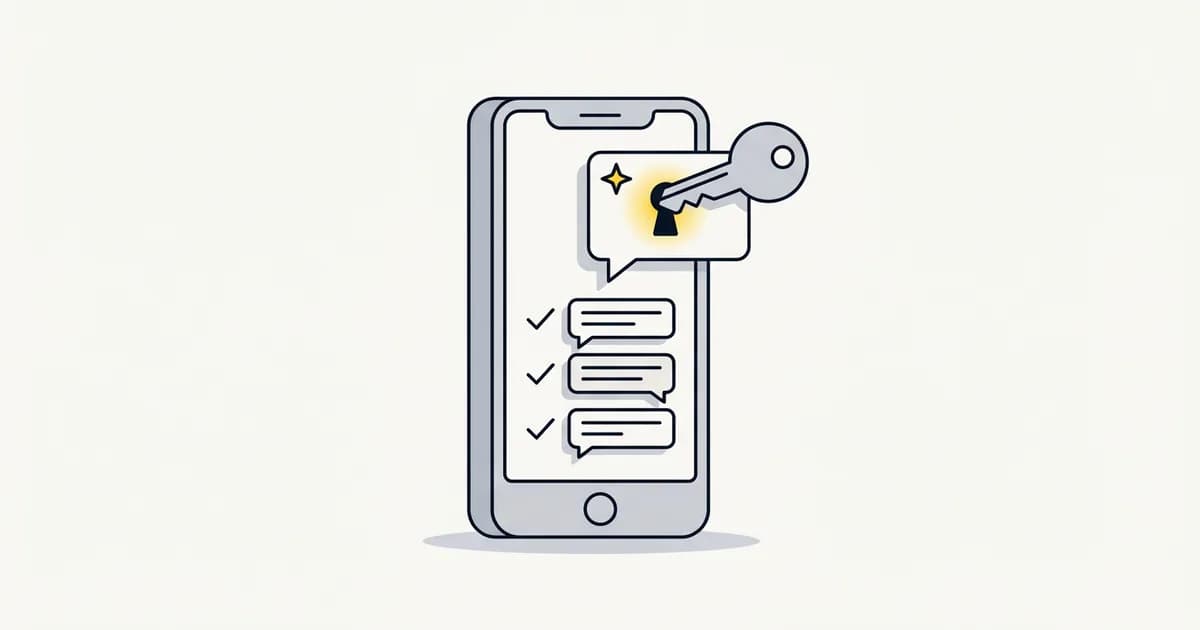
A tool cannot send DMs for you until you allow it in the Instagram app. Meta's Instagram messaging setup page gives the path.
- Open Instagram and go to Settings.
- Tap Messages and story replies.
- Tap Message controls.
- Tap Connected Tools.
- Turn on Allow Access to Messages.
Menu names can change between app versions. If yours looks different, search Settings for "Connected Tools".
2. Your account is private#
Tools learn about a new comment from a notice Meta sends them. Meta's webhooks setup page lists a limit: "The account that owns the media must be public." On a private account, the tool gets no notice. So it sends no DM.
The fix is to make the account public in your Instagram privacy settings. Then post a new test comment.
3. Your account is personal#
Meta's API works with Instagram professional accounts. That means business or creator. A personal account cannot connect to a comment-to-DM tool at all. Our guide to personal, creator and business accounts shows how to switch.
Causes 4 to 8: Meta's rules for comment DMs#
Meta calls a comment DM a private reply. Its private replies page sets four limits. No tool can change them.
4. The comment is more than 7 days old#
Meta says the message "must be sent within 7 days" of the comment. After that, the DM cannot go out. You can still reply to the comment in public and ask the person to message you.
5. That comment already got its one DM#
Meta says "Only one message can be sent to the commenter." A second DM needs a reply from them first. Then you have 24 hours from their reply.
This is why a two-step flow can stall. The first DM asks a question. If the person never answers, the link in step two cannot send.
6. The DM is in their Requests folder#
Meta's page says the reply goes to the person's inbox if they follow you. If they do not follow you, it goes to Requests. A DM in Requests is easy to miss.
Add one line to your caption so people know where to look. Here is an example we wrote:
Comment GUIDE and I will DM it to you. If you do not follow me, check your message requests.
If a customer still cannot find it, our guide to missing Instagram messages shows where Requests is.
7. The comment was on a Live that ended#
Meta says private replies to Live comments "can only be sent during the live broadcast." Once the Live ends, those comments cannot get a DM.
8. You hit an hourly limit#
Meta's Instagram Platform overview allows 750 private replies an hour per account on posts and reels. Some tools set a lower cap of their own. CreatorFlow's guide, for one, describes a pace of about 200 an hour.
Here is the math for a busy reel. Say 1,200 people comment your keyword in one hour.
| Hourly cap | DMs in hour one | Time to reach all 1,200 |
|---|---|---|
| 750 (Meta's limit) | 750 | 2 hours |
| 200 (the pace CreatorFlow describes) | 200 | 6 hours |
| 60 (Instant Reply's cap) | 60 | 20 hours |
All three finish well inside the 7 days. A lower cap is slower, and it sends fewer DMs in a burst. If your DMs pause on a busy day, check your tool's cap before you change anything else.
Causes 9 to 11: your tool's settings#
9. The keyword did not match#
Meta does not match keywords. Your tool does. Each tool has its own rules for capitals, plurals and typos. Test with the exact word, then with a typo, from a second account.
10. The connection expired#
A tool needs a live connection to your account. Some connections end on a date. In Instant Reply, a direct Instagram login has to be renewed every 60 days. Reconnect, then test with a new comment.
11. Review mode is on#
Some tools can hold each reply until you approve it. Look for a queue of drafts. Approve them, or switch the mode to send on its own.
Test it in five minutes#
- Use a second Instagram account that does not follow you.
- Post a fresh comment with your exact keyword on a normal post or reel.
- Wait one minute.
- On the second account, open Messages and tap Requests.
- If the DM is there, your setup works. The problem is where people look.
If no DM arrives, go back to causes 1 to 3. They stop every DM, not just some.
How Instant Reply shows the reason#
Instant Reply is a tool on Meta's Instagram API. We checked its code on November 13, 2026.
Each comment in the Comments page has a Private message step. When a DM is held back, that step says "Not sent" with the reason. These are the reasons in the code.
| Reason shown | What it means |
|---|---|
| meta private reply window expired | The comment is over 7 days old |
| private reply already sent | This comment got its one DM |
| live video dm window closed | The Live has ended |
| comment to dm disabled | Comment DMs are turned off in your settings |
| cooldown active | This person got a DM from you a short time ago |
| commenter opted out | They replied STOP in your chat |
| reply to reply dm ineligible | The comment was a reply to another comment |
Three more facts help when you debug.
- The cap is 60 comment DMs an hour. You can set it lower in the Safe sending card. Extra DMs wait for the next hour. They are not lost.
- Comment features need a Facebook Page connection. A direct Instagram login handles DMs only, and you reconnect it every 60 days.
- The first DM asks before it sends a link. This setting is on by default. The link goes out after the person replies YES.
The AI replies page explains what happens inside the DM after that. For setup, see our Instagram auto reply guide. For what to write under a post, see how to turn Instagram comments into sales. If you are moving off a flow builder, see the ManyChat alternative comparison.
What we could not confirm#
- How other tools match keywords or what caps they use. The 200 in our table is from CreatorFlow's guide, read 13 Nov 2026. It is not a Meta number.
- Whether Meta's spam systems block comment DMs below 750 an hour. Meta does not publish that.
- Whether Allow Access to Messages is needed for every way of connecting. Meta's setup page covers accounts linked to a Facebook Page.