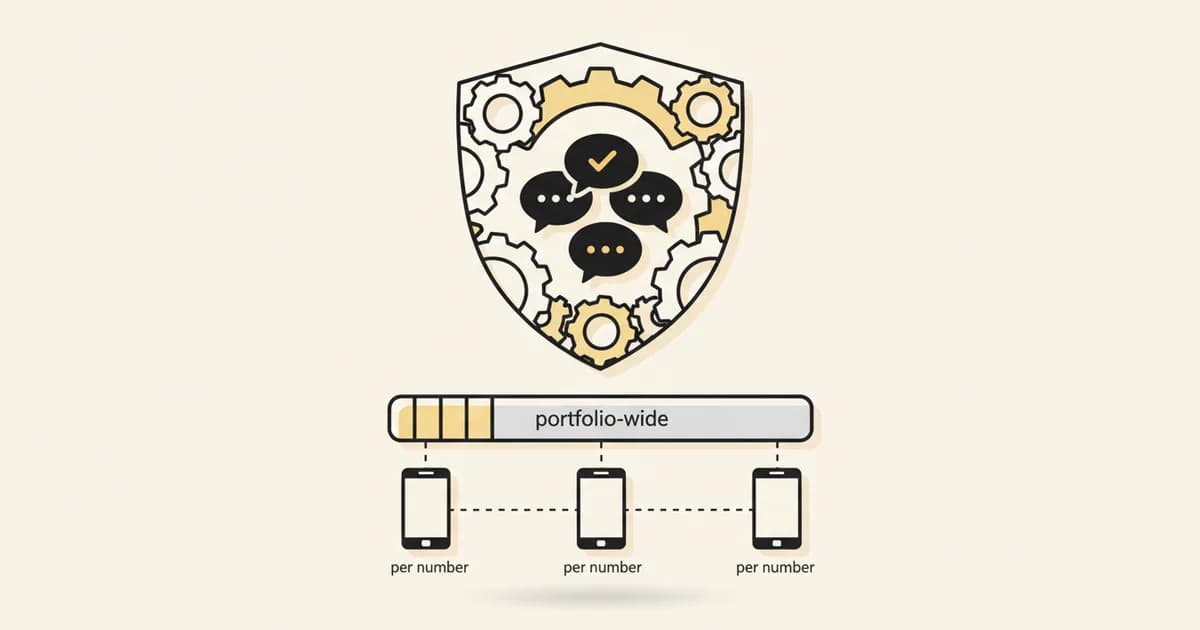
WhatsApp coexistence lets you connect the number you use in the WhatsApp Business app to the Cloud API without giving up the app. Up to 180 days of 1:1 history syncs on approval and messages stay mirrored, but group chats do not sync, disappearing messages and live location are turned off, and throughput is capped at 20 messages per second.
For years, the honest answer to "can I move my WhatsApp number to a real business platform without losing everything" was no. You picked a new number, started your chat history from zero, or gave up the WhatsApp Business app you'd been running the business on. That is the barrier coexistence removes. It just doesn't remove all of it, and Meta's own documentation is specific about what stays and what doesn't.
What coexistence actually is#
Coexistence connects a number that is already active in the WhatsApp Business app to the Cloud API through Embedded Signup, without disconnecting the app. Per Meta's own developer documentation, "messages sent and received are mirrored between the Cloud API and WhatsApp Business app." A person on the team can keep replying from their phone. A platform like Instant Reply can send, automate, and report on the same number through the API. Both stay in sync.
What actually syncs#
This is the part most coverage gets vague about. Meta's documentation is specific: on approval, "all messages sent or received within 180 days" of onboarding are synchronized, provided the business approves sharing that history. Meta's own summary elsewhere describes this as up to six months of chat history. Individual 1:1 conversations and contacts sync bidirectionally. Message edit and revoke are supported in 1:1 chats after onboarding.
What doesn't sync, and what gets turned off#
The gaps matter as much as what syncs:
- Group chats are not supported. Group chat messages are explicitly excluded from the history sync, and group messaging isn't part of the coexisting setup.
- Media has a 14-day cutoff. Media messages "will not include media asset IDs" unless they were sent within 14 days of onboarding -- older attachments in your synced history may not carry over as usable media.
- Disappearing messages, view-once messages, and live location get disabled for individual chats once coexistence is active.
- Broadcast lists become read-only. You can see them; you can't send through them from that point on.
None of this is disqualifying for most businesses. It is, however, exactly the kind of detail that turns "coexistence sounds perfect" into a support ticket three weeks after you turn it on, if nobody checked it first.
The constraint nobody mentions: a 20 mps throughput cap#
Here is the one that catches teams off guard. Per Meta's documentation, a number running in coexistence is capped at 20 messages per second combined across both the app and the API. That is a fraction of what a standalone Cloud API number on a scaled tier can push. If the plan is "connect via coexistence now, run high-volume broadcast campaigns later on the same number," check this number against your actual send volume before you build around it. It is a hard platform limit, not a plan you can upgrade your way past while staying in coexistence.
Eligibility, in Meta's own terms#
Coexistence isn't available to every setup by default. Per Meta's documentation, it requires WhatsApp Business app version 2.24.17 or later, onboarding through a Meta Solution Partner or Tech Provider (not a raw self-serve signup), and a webhook callback endpoint the provider can use to keep both sides in sync. Businesses get 24 hours to complete synchronization once onboarding starts.
The retirement date buried in the same documentation: October 15, 2026#
Coexistence is set up through Meta's Embedded Signup flow, and both the coexistence onboarding page and the general Embedded Signup overview carry the same notice: "Embedded signup v2 will be deprecated on October 15, 2026. Migrate your integration to v4 before that date to avoid disruption." This isn't scoped to coexistence specifically. It applies to any integration still running on Embedded Signup v2, which is the version a lot of older WhatsApp connections were built on.
Update, October 18, 2026: the date has passed. When we checked, Meta's Embedded Signup overview still showed the same notice, with no new date and no shutdown announcement on that page. If you signed up for WhatsApp Business API access more than a year or two ago through a provider that hasn't touched that integration since, ask them directly: are you on v4, and if not, what happens now? A platform managing this for you should already be migrated. If you built your own Embedded Signup flow, or you're not sure which version your provider uses, check now rather than after a failed signup.
What this means if you're evaluating coexistence now#
The historical blocker, real for years, was binary: connect to a real platform and lose the app, or keep the app and stay locked out of automation, broadcast tooling, and a team inbox. Coexistence genuinely closes that gap for the common case, a single number, mostly 1:1 conversations, a team that wants automation without giving up the phone. It does not erase every constraint. Before turning it on, confirm with whoever is onboarding the number:
- Whether your actual message volume fits under the 20 mps cap, now and at your growth plan for the next year.
- Whether group chats are part of how the team currently uses WhatsApp -- if so, that workflow doesn't carry over.
- Whether the app version installed is 2.24.17 or newer.
- Whether the provider's integration runs on Embedded Signup v4, now that Meta's October 15, 2026 date for retiring v2 has passed.
For the workflow side of running a shared number, see how a team inbox decision actually plays out once you're past the connection question, or how HubSpot's own coexistence path compares if a CRM is part of the stack. For the actual connect screen and a real screenshot of where this starts, see how to set up WhatsApp coexistence with Instant Reply. To connect a number through Instant Reply's WhatsApp API integration, the signup runs on Meta's current flow by default.