Customers read WhatsApp messages quickly, and they expect a quick answer. That is not a marketing problem, it is an automation problem. Here is how to close it.
What WhatsApp Automation Actually Covers#
WhatsApp automation is not one thing. It is three distinct capabilities that work together:
1. Automated Replies: Responding to incoming messages automatically -- either with keyword-matched templates or AI that reads intent and responds with context.
2. Broadcast Campaigns: Sending proactive messages to opted-in contacts -- promotions, reminders, updates, re-engagement -- at scale.
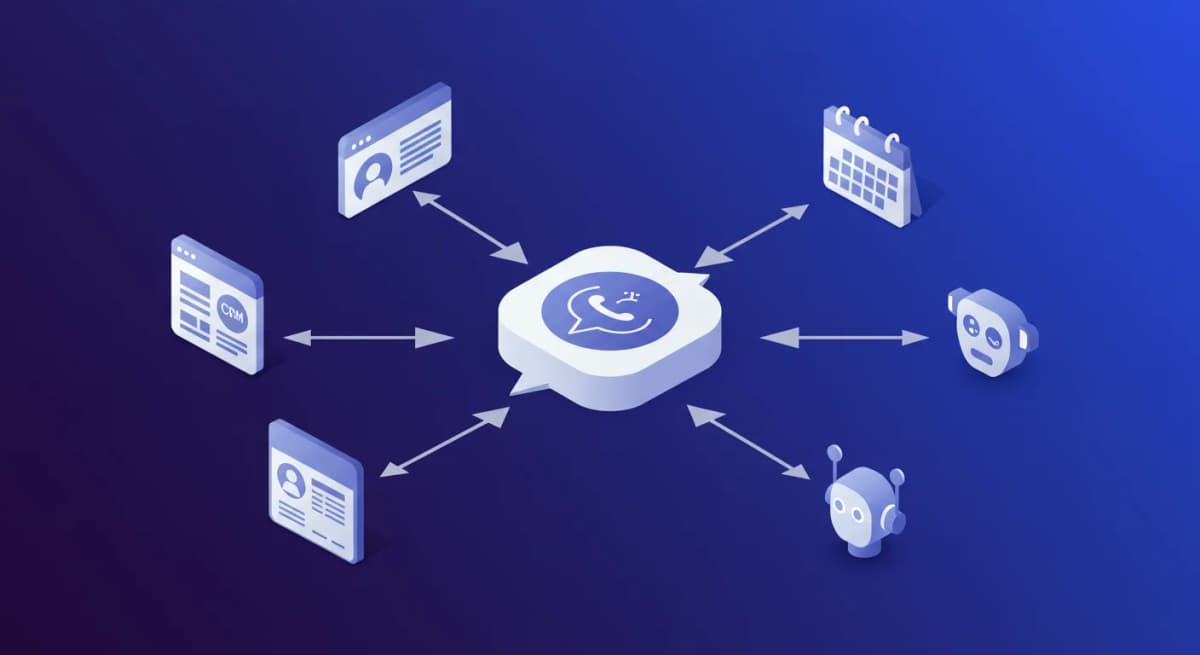
3. Workflow Automation: Connecting WhatsApp to the rest of your stack -- CRM, helpdesk, e-commerce, scheduling tools -- so conversation data flows without manual work.
Most businesses start with automated replies and add the other two as they scale. All three require the WhatsApp Business API.
WhatsApp Business App vs WhatsApp Business API#
The free WhatsApp Business app gives you a business profile, Away Messages, and Greeting Messages. That is it. No multi-agent inbox, no broadcast campaigns, no CRM sync, no keyword triggers, no AI.
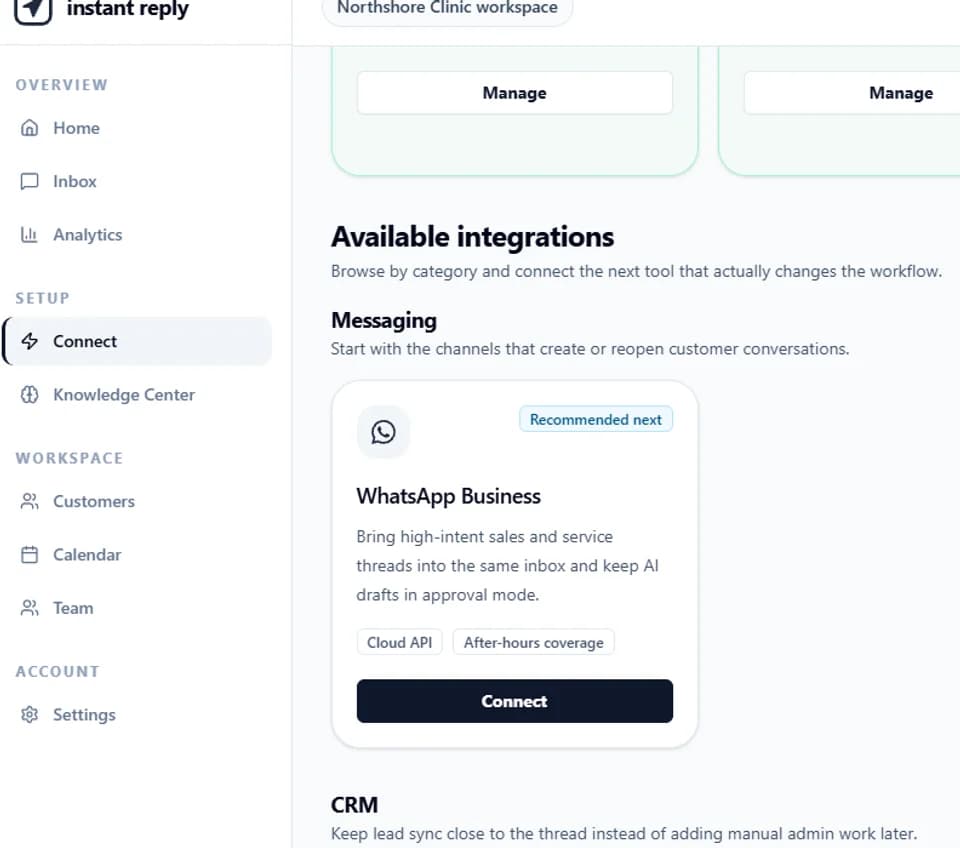
The WhatsApp Business API is what all serious automation runs on. You access it through a Business Solution Provider (BSP) or a platform like Instant Reply that connects via Meta-approved partners. The API enables everything described in this guide.
Getting API access depends on Meta's review and your business verification status. You need a Facebook Business Manager account and a phone number (mobile or landline) that is not already registered on WhatsApp.
Automated Replies: Keyword Bots vs AI#
Keyword bots work by matching text. If the message contains "pricing," the bot sends the pricing reply. They are fast to set up and predictable. They break when customers do not use the exact keyword.
AI replies read message intent. A message saying "what does it cost," "how much," "is there a free version," and "can I afford this" all get recognized as pricing intent. The AI responds with context -- pulling the relevant pricing information, adjusting based on what else it knows about the conversation.
For simple FAQ use cases (business hours, location, menu), keyword bots are fine. For sales conversations, product questions, and qualification, AI dramatically outperforms keyword matching. Review the AI's drafts on your own conversations to see which categories it handles well before you enable auto-send.
WhatsApp Broadcast Campaigns: How to Do Them Right#
Broadcasts are outbound messages you send to opted-in contacts. They require Meta-approved message templates. Template approval timing is set by Meta and varies.
Template categories:
- Utility -- transactional messages (order confirmations, appointment reminders, delivery updates). Lowest fee.
- Authentication -- OTPs and security codes. Medium fee.
- Marketing -- promotional content, product announcements, re-engagement. Highest fee but best ROI.
Best-performing broadcast types:
Abandoned cart recovery: "Hi [name], you left [product] in your cart. Still interested? Here is a 10% discount to complete your order: [link]." Track your own recovery rate.
Appointment reminders: "Hi [name], reminder: your appointment with [Business] is tomorrow at [time]. Reply 'confirm' to keep it or 'reschedule' to change." Reminders help reduce no-shows; track your own rate.
Product launch: "Hi [name], [Product] just launched. Early access price: [price] until [date]. See it here: [link]." Warm lists respond best; track your own click rate.
Re-engagement: "Hi [name], it has been a while. We have [new feature/product] you might have missed. Want to catch up? [link]." Best sent to contacts inactive for 60-90 days.
WhatsApp Workflow Automation: Connecting to Your Stack#
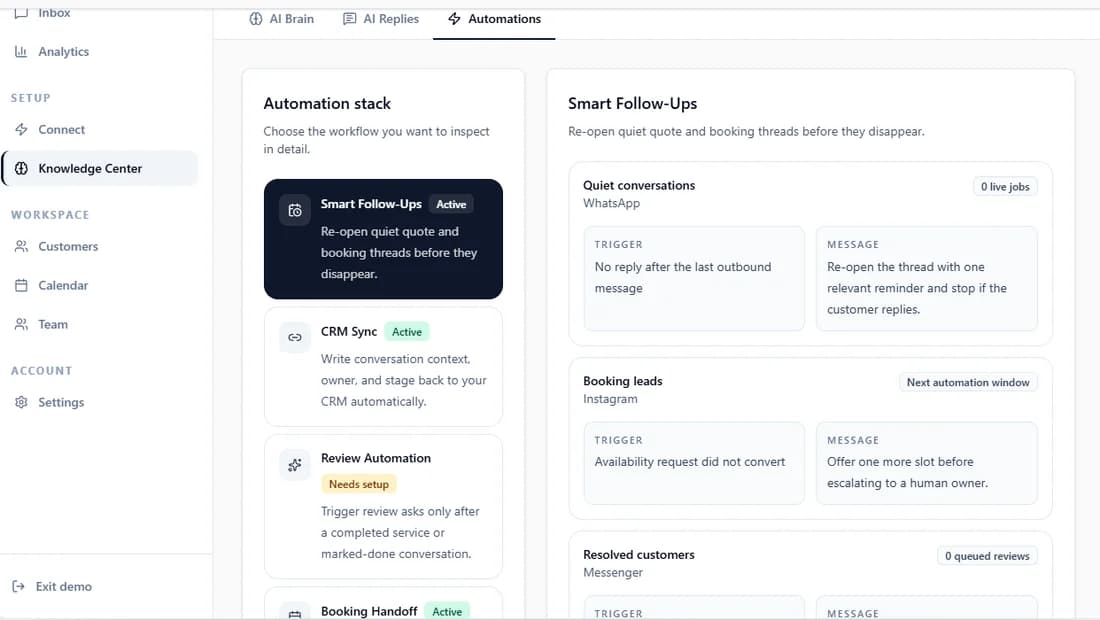
The most powerful automation layer is workflow integration -- WhatsApp events triggering actions in other tools and vice versa.
WhatsApp to CRM: When a lead qualifies on WhatsApp (AI scores them above threshold), automatically create a deal in Pipedrive or update a contact in HubSpot with the conversation summary and lead score.
CRM to WhatsApp: When a deal moves to "proposal sent" in your CRM, trigger a WhatsApp follow-up: "Hi [name], I just sent over the proposal. Want me to walk you through it on a quick call?"
E-commerce to WhatsApp: When an order is placed, trigger a WhatsApp order confirmation. When it ships, trigger a delivery update with tracking. When it delivers, trigger a feedback request.
Calendar to WhatsApp: When a demo is booked, trigger a WhatsApp confirmation and 24-hour reminder. When the meeting ends, trigger a follow-up with next steps.
These workflows run via Zapier, Make (Integromat), or native integrations in platforms like Instant Reply.
WhatsApp Automation Compliance: Stay Off Meta's Radar#
Four rules that keep your number in good standing:
Only message opted-in contacts. Users must explicitly agree to receive WhatsApp messages from you before you send outbound campaigns. Collect opt-ins at checkout, in email footers, or on landing pages.
Use approved templates for business-initiated messages. Any message you initiate (not a reply to an incoming message) must use a Meta-approved template. Sending non-template outbound messages risks your account.
Maintain a good Quality Rating. WhatsApp Business Manager shows your phone number's Quality Rating (Green/Yellow/Red). If customers block or report you frequently, it drops. Stay in Green by sending relevant, expected content.
Respect the 24-hour window. Once a customer messages you, you have a 24-hour window to reply with any content (not just templates). After 24 hours of no customer message, you can only send template messages.
Measuring WhatsApp Automation ROI#
We do not publish average results, because they depend on your audience, offer, and setup. Track these five measures before and after you automate, using your own data:
- First response time
- Share of new leads that get qualified
- Broadcast delivery, read, and click rates
- Share of support questions resolved without a human
- Revenue recovered by abandoned cart campaigns
Get Started with WhatsApp Automation#
Start a free 7-day Instant Reply trial. Connect your WhatsApp number, set up your first AI responder, and run one broadcast campaign. You will see open rates, reply rates, and qualified lead counts within the first week. Or take the product tour to see the automation setup, broadcast tool, and CRM integration before signing up.
WhatsApp automation is not about replacing conversations. It is about making sure every conversation gets the response it deserves -- at any hour, at any volume.
Continue the setup#
Check AI reply controls, compare team inbox ownership, and estimate messaging with the WhatsApp API calculator.