What Is WhatsApp Business Web?#
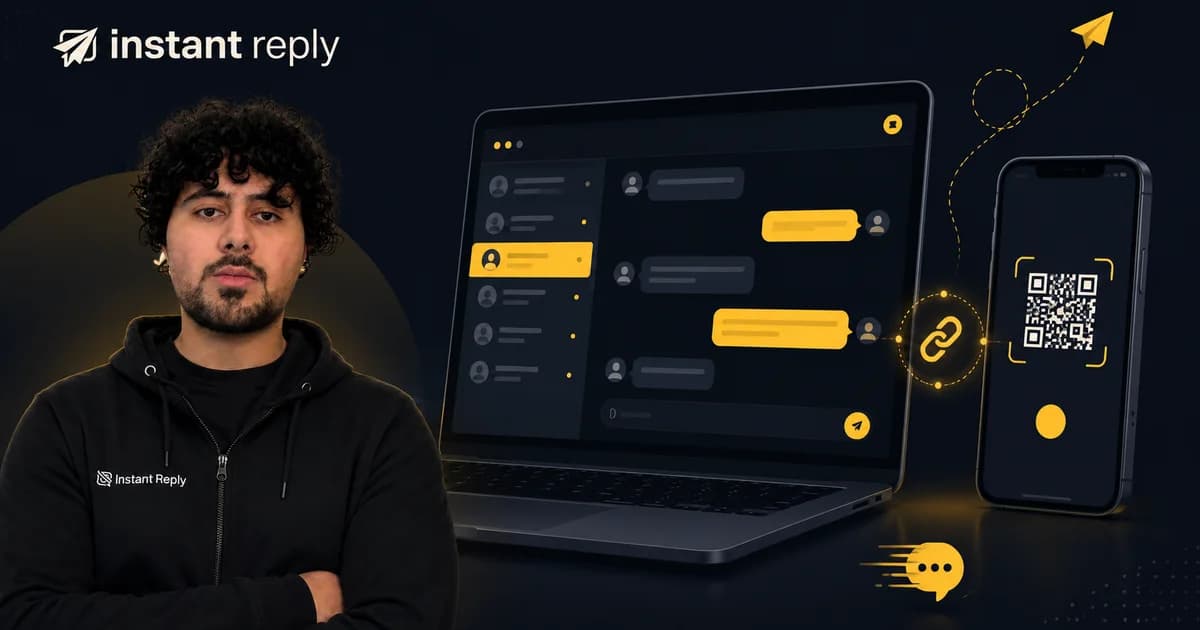
WhatsApp Business Web is the browser-based interface for the WhatsApp Business App. You open web.whatsapp.com on any laptop or desktop, scan a QR code with your WhatsApp Business App on your phone, and your account is mirrored in the browser. Messages send and receive in real time, exactly as they would from the phone.
It is not a separate product - it is a feature of the free WhatsApp Business App that lets you use a larger screen instead of typing everything on your phone.
How to Set Up WhatsApp Business Web#
- Open the WhatsApp Business App on your Android or iPhone.
- Tap the three-dot menu (Android) or Settings (iPhone) → Linked Devices.
- Tap Link a Device and point your camera at the QR code on web.whatsapp.com.
- Your account loads in the browser within a few seconds.
You stay logged in even when your phone is off for short periods. To log out, go to Linked Devices in the app and remove the browser session, or click the three-dot menu in the browser and choose Log out.
WhatsApp Business Web Device Limits#
One WhatsApp Business account supports up to 4 linked devices: your main phone plus 3 secondary devices (browser sessions, tablets, or WhatsApp Desktop). All devices share the same inbox - there is no separation between agents, no assignment system, and no way to see who replied to which message.
This works fine if one person handles all the messages. The moment you have two or more team members who need to respond independently, the device-sharing model breaks down.
What WhatsApp Business Web Cannot Do#
| Capability | WhatsApp Business Web | WhatsApp Business API |
|---|---|---|
| Read and send messages in a browser | Yes | Yes (via inbox platform) |
| Multiple agents with separate views | No | Yes |
| Assign conversations to team members | No | Yes |
| Automated chatbot or AI replies | No | Yes |
| Broadcast campaigns (template messages) | No (the app has only small broadcast lists) | Yes, with approved templates |
| CRM integration (HubSpot, Pipedrive) | No | Yes, on platforms that support it (on Instant Reply, CRM sync is on the Pro plan) |
| Keep using the WhatsApp Business app on your phone | Yes (it mirrors the app) | Yes, if your number uses coexistence; otherwise the number moves to the API |
| Instagram and Messenger in the same inbox | No | Yes (via platform) |
| Analytics and response-time reporting | No | Yes (via platform) |
| API access for developers | No | Yes |
The WhatsApp Business Web experience is identical to the App - it adds a larger screen, not new capabilities.
When Teams Outgrow WhatsApp Business Web#
Most businesses realize they need the API when one or more of these happen:
- Two agents, one phone: They argue about who replied to what. Messages get missed. Customers get double-responses.
- Broadcast campaigns stop working: The Business App has a limited broadcast list feature, but it does not support approved template messages sent to opted-in contacts at scale.
- Leads arrive faster than one person can reply: No auto-reply, no chatbot, no AI - every message waits for a human.
- The team needs CRM records: WhatsApp Business Web has no integration with HubSpot, Pipedrive, or any CRM. Someone copies lead data by hand.
- Management wants reply-time data: There is no reporting in the Business App or Browser. Zero visibility.
WhatsApp Business Web vs WhatsApp Business API: Key Differences#
WhatsApp Business Web is a browser interface for the free WhatsApp Business App. Free. Limited to one account, 4 devices, and manual messaging only. Suitable for solo operators or very small teams with low message volume.
WhatsApp Business API is the programmatic messaging interface. It connects to platforms like Instant Reply that provide a shared inbox, AI replies, broadcast campaigns, CRM sync, and conversation analytics. Businesses pay Meta per delivered message: templates by category and country, and, since October 1, 2026, service messages sent inside the 24-hour window as well (see what changed on October 1, 2026). Requires a verified business account and a Business Solution Provider (BSP) connection.
The API is not "harder to use" in practice - platforms like Instant Reply handle the technical setup. What changes is capability: your team gets a real inbox, not a mirrored phone screen.
How to Upgrade to the WhatsApp Business API#
The steps are simpler than most guides suggest:
- Choose a WhatsApp Business Solution Provider (BSP) or connect directly through Meta's cloud API. Instant Reply is a direct connection with no per-message markup on the BSP layer.
- Verify your business in Meta Business Manager. You need a Facebook Business account and a phone number not already attached to a personal WhatsApp account.
- Connect your number to the platform after onboarding. Timing depends on Meta eligibility, verification, and the selected setup.
- Your team logs into the shared inbox. Conversations assign to agents. AI or chatbot replies configure from a dashboard.
You keep your existing WhatsApp Business number. Contacts do not need to do anything - they message the same number they always have. If you want to keep using the WhatsApp Business app on your phone alongside the API, ask about coexistence, which lets one number stay on the app and the Cloud API at the same time; see what actually syncs for Meta's conditions and limits.
WhatsApp Business Web for Teams: The Short Version#
If you are a solo operator handling under 20 messages a day, WhatsApp Business Web is enough. Open the browser, answer messages, close it. Done.
If you have more than one person involved, send anything that looks like a campaign, want an AI to handle the first reply, or need to know what your team's response time actually is - the Business App and its browser version are not built for that. The API is.
Compare the total cost of the upgrade (platform plan plus Meta's per-message charges) with the time your team spends on manual replies today. Instant Reply plans start at $59/month for Instagram and Messenger; WhatsApp starts on the Growth plan at $129/month.
See how Instant Reply handles the API connection: WhatsApp Business API setup · Shared inbox for teams · AI replies for DMs
Related: WhatsApp Business API pricing 2026 · Free WhatsApp link generator · Instant Reply vs WATI